Troubleshooting Guideline
Self Checks
Hardware Checklist
| Question | How To | Restriction |
|---|---|---|
| Is the antenna connected? | Visually check the antenna connection. Make sure the connector is fixed soldered on the PCB. 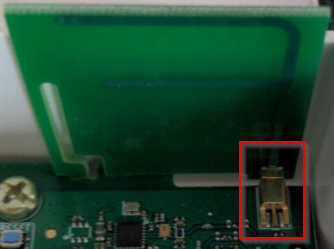 | |
| Is the battery connected? | Visually check the battery connection If in doubt, reconnect the battery 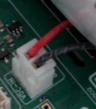 | |
| Is the SIM card inserted? | Visually check the SIM card Check the orientation of the SIM card 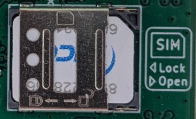 | Not for LoRaWAN operation |
Device not working
The device is not connecting and no remote error analysis is possible. Local access to the device is required.
| Device | Indication | Meaning / Causes |
|---|---|---|
| all | • Green LED flashes every few seconds |
|
| wMbus Gateway | • After reset the blue LED flashes for ≈3 minutes | • Mobile connection cannot be established |
| all battery devices | • No green LED light after reset |
|
Further Error Analysis
Log from device can indicate the cause
Software Checklist
- Connect the Lobaro Configuration Adapter to the hardware (see: USB Config Adapter)
- Install and connect via Lobaro Config Tool
| Question | ||
|---|---|---|
| Check firmware version |
|  |
| Check that firmware starts up |
| 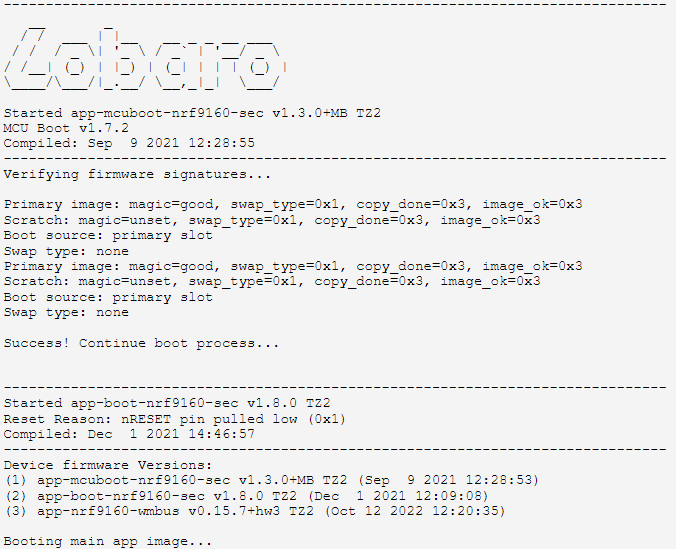 |
| Check configuration |
|  |
| Check battery voltage |
|
Fix issues
Device does not start
- Update the firmware to the latest or desired version
Device does not connect to the mobile network
- Check connection with your mobile operator
- Try another SIM card
Return Process
- Contact Lobaro with a description of the defects, type and number of devices. We will issue an Retour document and number.
- Ship devices without batteries. Else a fee for shipping dangerous goods must be applied.
LoRaWAN join fails
To find the reason for a missing / failing Join Request check the following information:
- What LNS is used?
- Is the device registered with the correct LoRaWAN Version (mostly 1.0.2 for Lobaro Devices)
- Is the device configured to use LoRaWAN v1.0 (v1.1 use should be avoided since it's not certified)
- Are all device parameters correct in the LNS: DevEUI, JoinEUI (aka AppEUI), AppKey
- Is there a possibility to trace the Join request on LoRaWAN Gateway Level?
- Does the server states any errors when receiving the Join Request
- Is there any error indication inside the device log?
- e.g. "hw error for tx data up"