Multi Temperature Sensor Box (LoRaWAN)
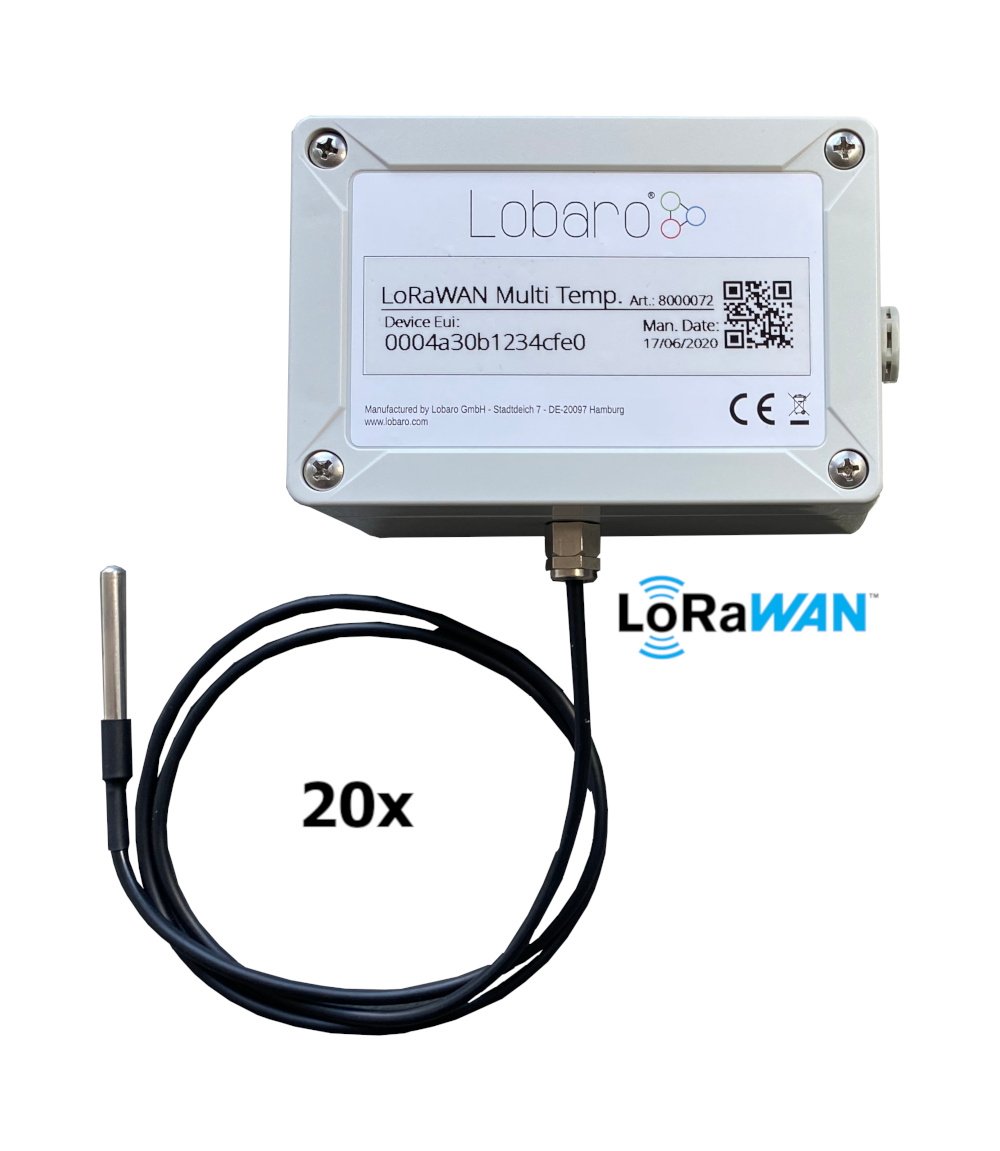
Firmware note: Use the latest available firmware for your hardware whenever possible. See: available firmware downloads
Order Codes / Variants
| Order Code | Variant |
|---|---|
8000072 | Default variant |
8000150 | Special variant without external probe and cable gland, available only on special sales request |
Quickstart
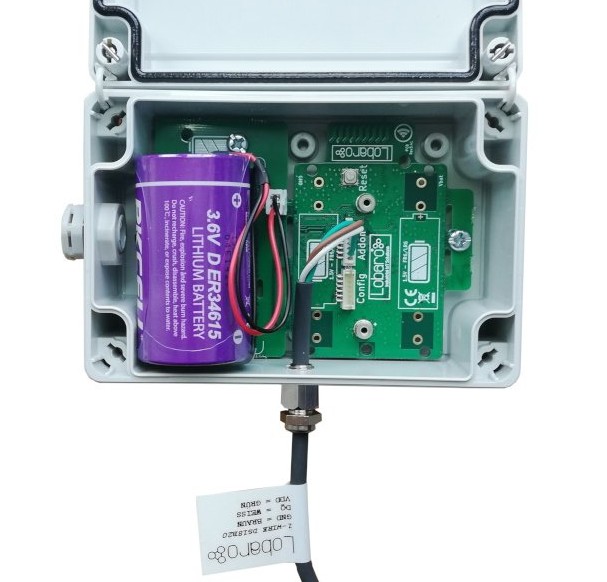
- Connect the device to your PC using the Lobaro Maintenance Tool and the Lobaro USB Config Adapter.
- Open the configuration view, click Reload Config, and adjust the parameters as required.
- Register the device in your LoRaWAN network.
- Connect an ER34614 3.6 V D-cell battery via the XH connector or connect the external power supply.
Key Features
- Supports up to 25 DS18x20 1-Wire temperature sensors.
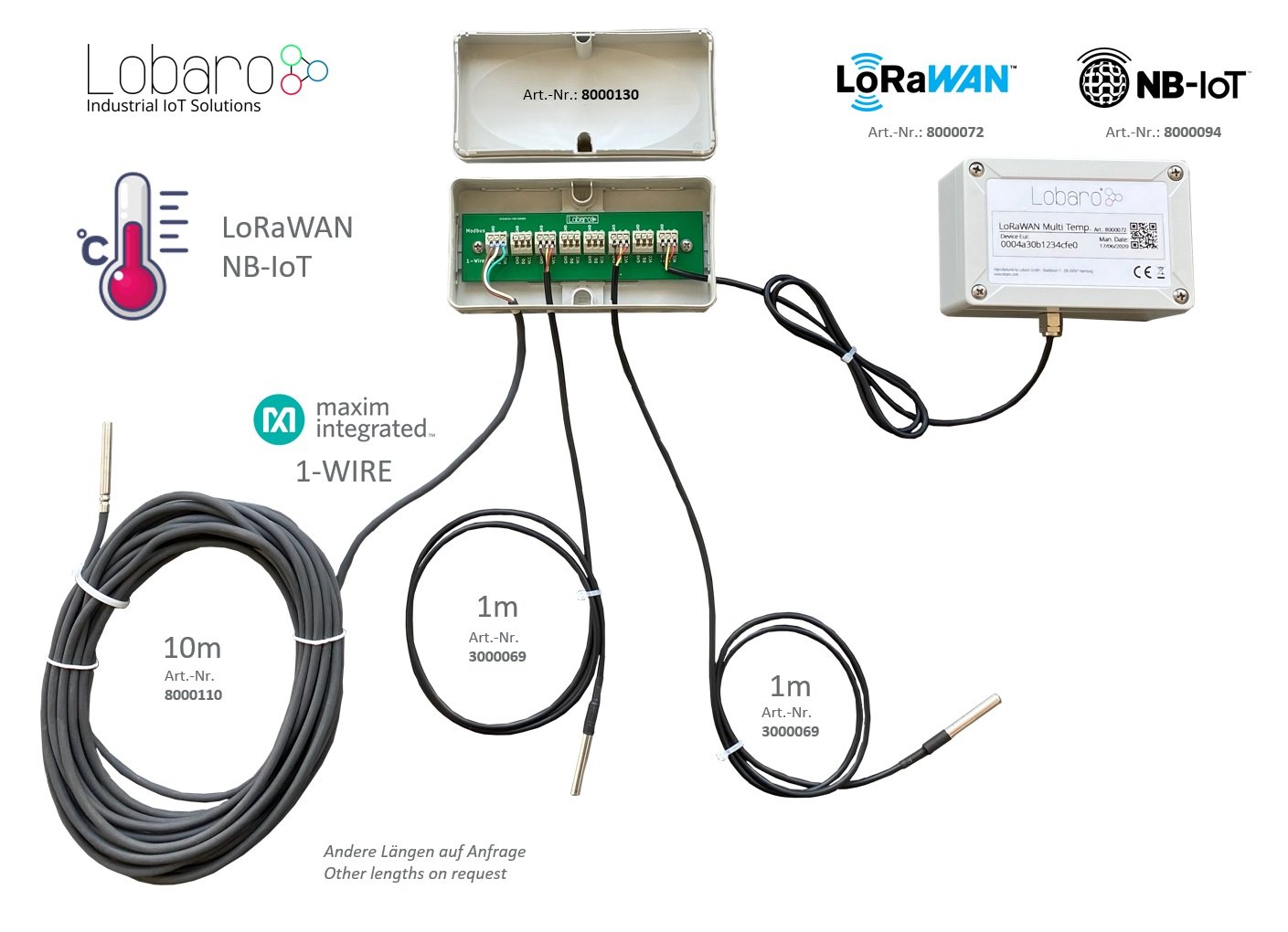
- Optional 8-port hub for easier sensor wiring.
- IP67 outdoor housing with pressure compensation element.
- Delivered with one sensor attached.
- Configurable sensor output order.
- Test mode for easier sensor identification.
- Large 19 Ah D-size battery enables long battery lifetime, depending on configuration and operating conditions.
- Supports LoRaWAN 1.0.x and 1.1 network servers.
- Supports LoRaWAN Class A and Class C operation.
- Supports LoRaWAN 1.1 time synchronization.
- Variants with external power supply and/or external antenna are available on request.
- Housing with quick-closing screws and cover retainer.
Target Measurement / Purpose
The Multi Temperature Sensor Box reads up to 25 DS18x20 1-Wire temperature sensors and transmits the measured values via LoRaWAN.
The device reads the connected sensors periodically. If the resulting payload becomes too large for one LoRaWAN message, the data is automatically split into multiple uplinks. Sensors can be connected either in series or in a star topology.
Additional Hardware
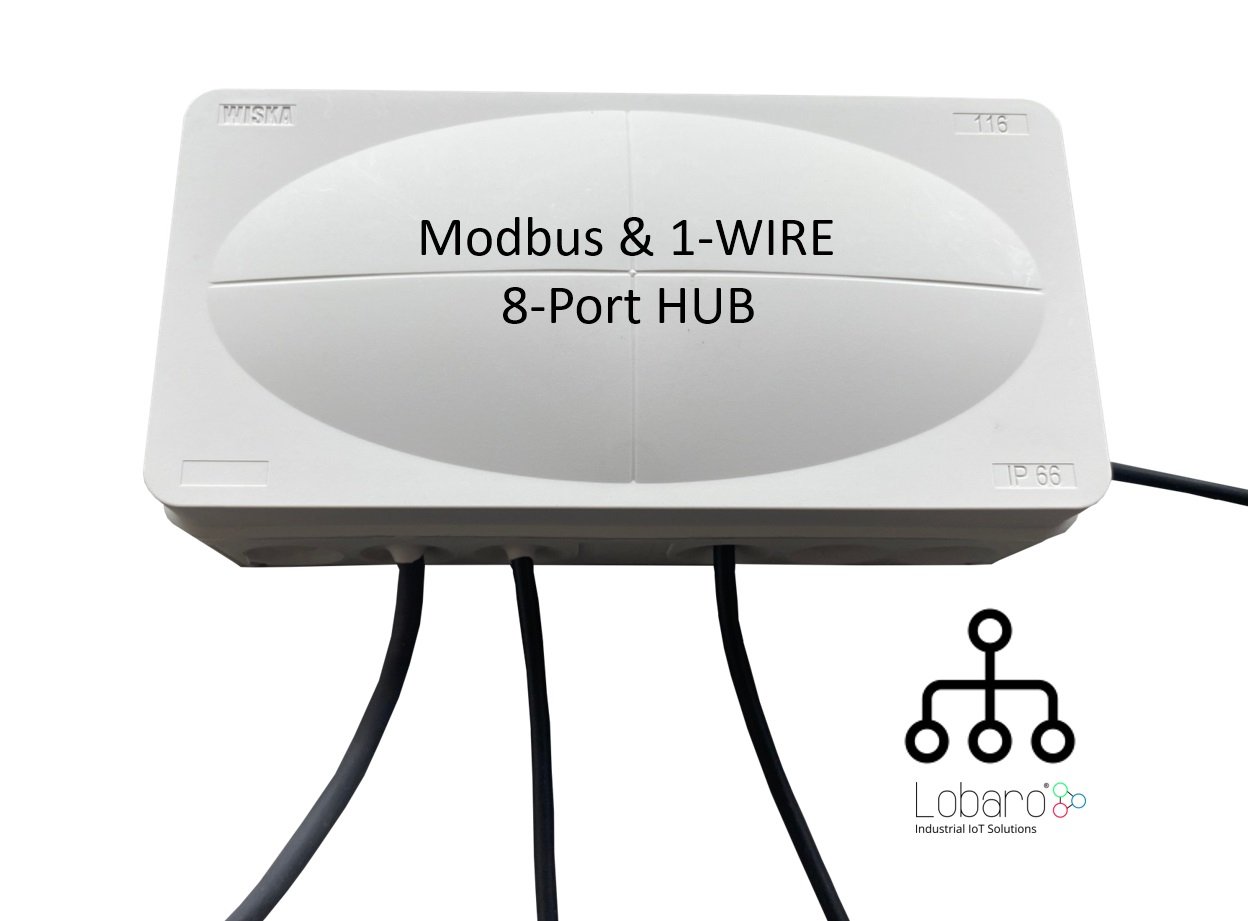
For easier wiring of up to 7 DS18x20 1-Wire sensors, the Modbus & 1-Wire 8-Port Hub can be used.
| Item | Order Number |
|---|---|
| Modbus & 1-Wire 8-Port Hub | 8000130 |
Multiple hubs can be connected to reach the maximum number of 25 sensors per box.
Configuration
The device is configured with the Lobaro Maintenance Tool and the Lobaro USB Config Adapter.
LoRaWAN
The LoRaWAN connection is configured through several parameters. These values must match the target LoRaWAN network and activation mode, otherwise the device cannot join the network or send uplinks.
For more background information, see the LoRaWAN configuration article.
| Name | Description | Type | Example / Values |
|---|---|---|---|
OTAA | Activation mode: OTAA or ABP | bool | true = OTAA, false = ABP |
DevEUI | Device EUI used to identify the device | byte[8] | 0123456789abcdef |
JoinEUI | JoinEUI for OTAA, called AppEUI in LoRaWAN 1.0 | byte[8] | 0123456789abcdef |
AppKey | Application key for OTAA | byte[16] | LoRaWAN 1.0 / 1.1 |
NwkKey | Network key for OTAA | byte[16] | LoRaWAN 1.1 only |
SF | Initial / maximum spreading factor | int | 7 to 12 |
ADR | Adaptive Data Rate | bool | true = enabled, false = disabled |
OpMode | LoRaWAN operation mode | string | A = Class A, C = Class C |
TimeSync | Interval for time synchronization | int | Days, 0 = disabled |
RndDelay | Random delay before transmission | int | Maximum delay in seconds |
RemoteConf | Remote configuration support | bool | Not supported by this firmware; use false |
LostReboot | Reboot after missing downlinks | int | Days, 0 = disabled |
Operation
Without additional ordering configuration, sensors are transmitted sorted by their 48-bit ID. The sensor family prefix and checksum are ignored for this ordering.
| Name | Description | Example / Values |
|---|---|---|
TestMode | Runs the device in test mode to identify sensors. Must be false during normal operation. | true or false |
MeasureCron | Cron expression defining when sensors are read. | 0 0/15 * * * * = every 15 minutes |
SendInternalTemp | Enables or disables the internal temperature sensor in the uplink. If enabled, it is always sent first. | true or false |
SendSensorId | Includes sensor IDs in the uplink. This changes payload format and LoRaWAN port. | true or false |
SensorIdOrder | Semicolon-separated list of 48-bit sensor IDs in hex. Up to 25 sensors can be listed. | 22ffffff0000;44ffffff0000;11ffffff0000 |
See also: Introduction to Cron expressions
Temperature and Error Values
Temperatures are transmitted in tenths of degrees Celsius, also called d°C, so that no floating-point values are required in the payload.
Error states for individual sensors are represented as temperature values below -300 °C.
| Temperature | Hex Value | Meaning |
|---|---|---|
-899.0 °C | 0xdce2 | Sensor not found. This applies to sensors listed in SensorIdOrder. |
-997.0 °C | 0xd90e | Communication timeout. |
-998.0 °C | 0xd904 | Temperature readout error. |
-999.0 °C | 0xd8fa | No temperature value available. |
Sensor IDs
A full DS18x20 sensor ID consists of 8 bytes:
byte 0:    family code
bytes 1-6: serial number
byte 7:    CRC checksum
Only the 6-byte serial number is used by the device. The family code and CRC checksum are omitted in uplinks and in the configuration.
Internal Sensor
The device board contains an internal temperature sensor. If SendInternalTemp is set to true, the internal temperature value is included in uplinks and is always placed first in the sensor list.
Sensor Order
Sensors are ordered by their sensor ID, without the leading family-code byte.
The upload order can be fixed through SensorIdOrder. Sensors listed in SensorIdOrder are always included in the uplink, even if they are currently not found. If a listed sensor cannot be found, the device transmits -899.0 °C, represented as 0xdce2.
If the internal sensor is enabled with SendInternalTemp=true, it is still transmitted before the sensors listed in SensorIdOrder.
Detected sensors that are neither internal nor listed in SensorIdOrder are appended after the configured sensors and are ordered by their IDs.
Payload
Status Message
LoRaWAN Port: 1
Example payload:
00040001070ce3
Decoded example:
{
  "temp": 26.3,
  "vBat": 3.299,
  "version": "v0.4.0"
}
Data Message with Sensor IDs
LoRaWAN Port: 2
This format is used when SendSensorId=true.
Structure
| Field | Length | Type | Description |
|---|---|---|---|
success | 1 byte | uint8 | 0 = read error, 1 = success |
sensor id | 6 bytes | uint8[6] | 6-byte 1-Wire sensor ID |
temperature | 2 bytes | int16 BE | Temperature in 1/10 °C |
The sensor ID and temperature fields are repeated for each sensor.
If the total payload exceeds 50 bytes, the device splits the measurement data into multiple uplinks using the same format.
Example payload:
01551e46920d0200da96b446920c0200d7dafc46920d0200d5202e4692050200dc
Decoded example:
{
  "success": true,
  "sensors": [
    {
      "id": "551e46920d02",
      "temp": 21.8
    },
    {
      "id": "96b446920c02",
      "temp": 21.5
    },
    {
      "id": "dafc46920d02",
      "temp": 21.3
    },
    {
      "id": "202e46920502",
      "temp": 22.0
    }
  ]
}
Data Message without Sensor IDs
LoRaWAN Port: 3
This format is used when SendSensorId=false.
Before firmware version
v0.4.0, this payload format was sent on port2.
Structure
| Field | Length | Type | Description |
|---|---|---|---|
success | 1 byte | uint8 | 0 = read error, 1 = success |
temperature | 2 bytes | int16 BE | Temperature in 1/10 °C |
The temperature field is repeated for each sensor.
If the total payload exceeds 50 bytes, the device splits the measurement data into multiple uplinks using the same format.
Example payload:
0100f500f500f800f500f300f8
Decoded example:
{
  "success": true,
  "sensors": [
    24.5,
    24.5,
    24.8,
    24.5,
    24.3,
    24.8
  ]
}
Parser
The Things Network / ChirpStack / Lobaro Platform
function readVersion(bytes) {
  if (!bytes || bytes.length < 3) {
    return null;
  }

  return `v${bytes[0]}.${bytes[1]}.${bytes[2]}`;
}

function readInt16BE(bytes, offset) {
  const value = (bytes[offset] << 8) | bytes[offset + 1];
  return value & 0x8000 ? value - 0x10000 : value;
}

function readUInt16BE(bytes, offset) {
  return (bytes[offset] << 8) | bytes[offset + 1];
}

function bytesToHex(bytes, start, end) {
  return bytes
    .slice(start, end)
    .map((value) => value.toString(16).padStart(2, "0"))
    .join("");
}

function decodePort1(bytes) {
  return {
    version: readVersion(bytes),
    temp: readInt16BE(bytes, 3) / 10,
    vBat: readUInt16BE(bytes, 5) / 1000,
  };
}

function decodePort2(bytes) {
  let pos = 0;
  let success = false;
  const sensors = [];

  if (bytes.length > 0) {
    success = bytes[0] !== 0;
    pos = 1;
  }

  while (bytes.length - pos >= 8) {
    sensors.push({
      id: bytesToHex(bytes, pos, pos + 6),
      temp: readInt16BE(bytes, pos + 6) / 10,
    });

    pos += 8;
  }

  return {
    success,
    sensors,
  };
}

function decodePort3(bytes) {
  let pos = 0;
  let success = false;
  const sensors = [];

  if (bytes.length > 0) {
    success = bytes[0] !== 0;
    pos = 1;
  }

  while (bytes.length - pos >= 2) {
    sensors.push(readInt16BE(bytes, pos) / 10);
    pos += 2;
  }

  return {
    success,
    sensors,
  };
}

function Decoder(bytes, port) {
  switch (port) {
    case 1:
      return decodePort1(bytes);
    case 2:
      return decodePort2(bytes);
    case 3:
      return decodePort3(bytes);
    default:
      return {
        error: "Invalid port",
        port,
      };
  }
}

// Wrapper for Lobaro Platform
function Parse(input) {
  const raw = atob(input.data);
  const bytes = Array.from(raw, (char) => char.charCodeAt(0));

  return Decoder(bytes, input.fPort);
}

// Wrapper for ChirpStack / LoRaServer
function Decode(fPort, bytes) {
  return Decoder(bytes, fPort);
}

// Optional wrapper for Digimondo niota platform
/*
module.exports = function (payload, meta) {
  const port = meta.lora.fport;
  const bytes = Array.from(Buffer.from(payload, "hex"));

  return Decoder(bytes, port);
};
*/
CE Declaration of Conformity
The CE declaration is available as PDF: