Hybrid Industrial Gateways
Industrial communication Gateways with external power supply or battery.
- Model: LOB-GW-DINRAIL-HYB-MODBUS
- Order numbers:
- 8000171 - Hybrid Gateway V2 (Battery)
- 8000159 - Hybrid Gateway (ext. Power, DIN-Rail)
- 8000166 - Hybrid Gateway (ext. Power, 230V)
- 8000200 - Hybrid Gateway (ext. Power, 230V) + 20x wired M-BUS Converter
Support for:
- Modbus ASCII, RTU (RS-485) (all variants)
- Wireless M-BUS (all variants)
- Wired M-BUS (#8000200 only)
- Modbus TCP/IP (Future Firmware on #8000159, #8000166)
Data communication using:
- LTE-M (all variants)
- NB-IoT (all variants)
- LoRaWAN (all variants)
- LAN (#8000159, #8000166, #8000200)
The firmware has some limitations. Our new Gateway V4 Edge will support these in future.
- The firmware does not support Modbus over TCP, yet.
- Modbus Downlinks are currently not supported with LTE-M / NB-IoT - works only with LoRaWAN.
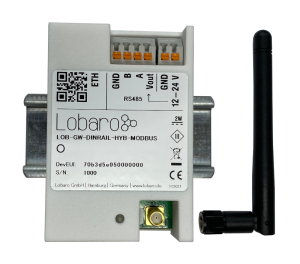 | 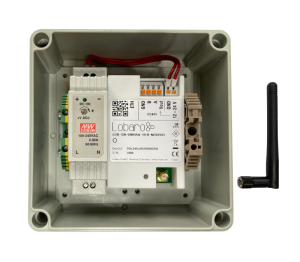 |
| 8000159 - Hybrid Gateway (ext. Power, Din-Rail) Including: Antenna | 8000166 - Hybrid Gateway (ext. Power, 230V) Including: Antenna, 2x cable feedthrough |
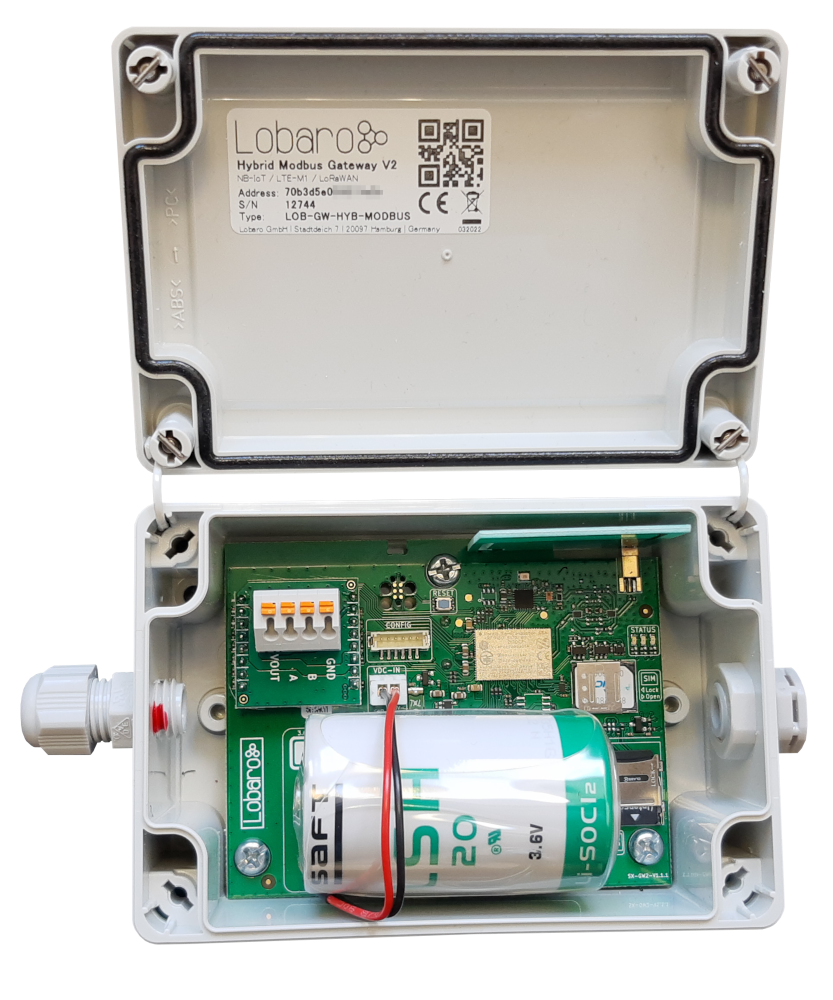 | 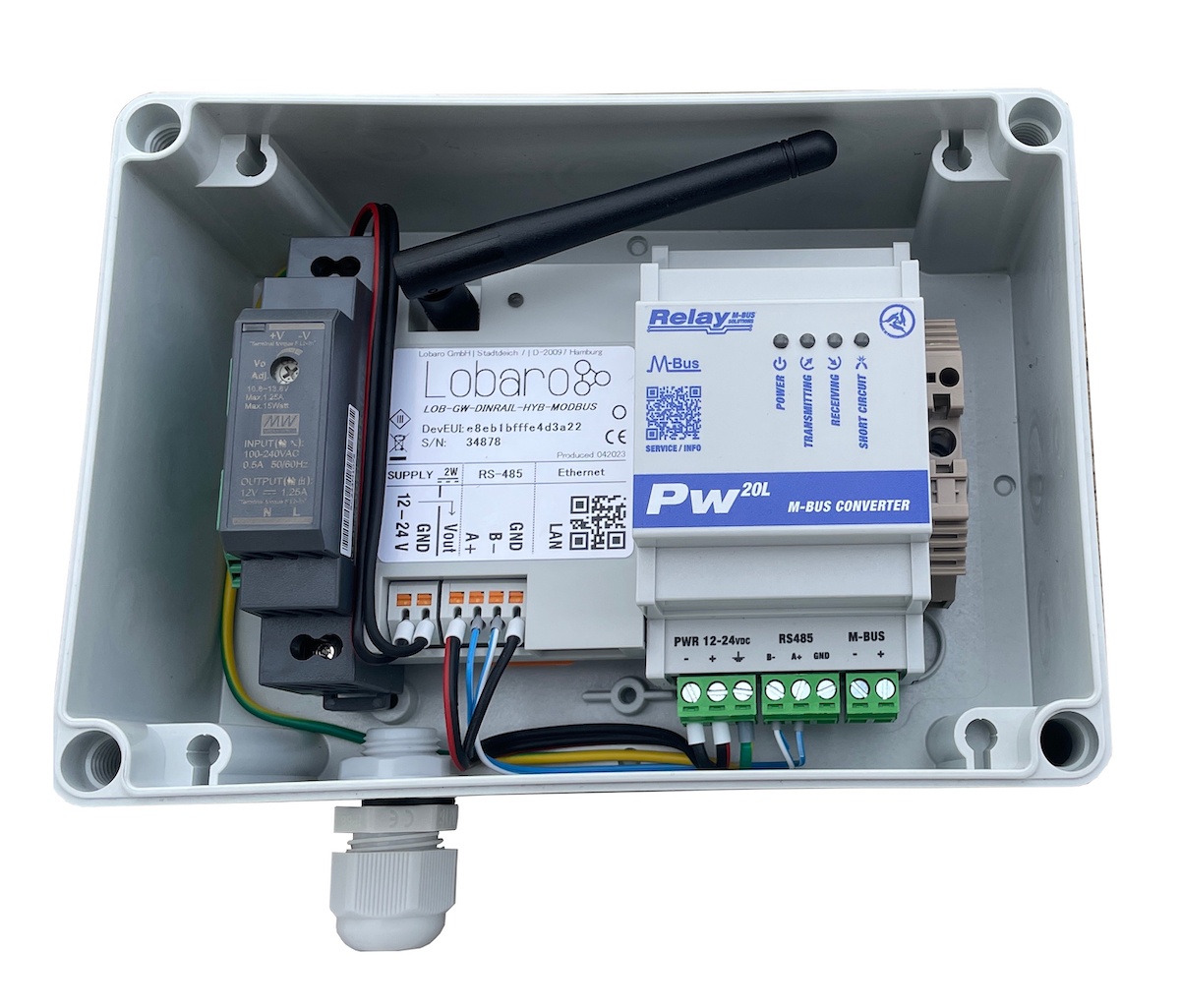 |
| 8000159 - Hybrid Gateway (ext. Power, Din-Rail) Including: Antenna | 8000166 - Hybrid Gateway (ext. Power, 230V) Including: Antenna, 2x cable feedthrough |
This product is based on the same housing and Mainboard as Wireless M-Bus Gateway Din-Rail and Wireless M-BUS Gateway V3 but the Firmware makes it a completely different product.
Product Components
This product is manufactured by Lobaro from the following components. Many details on this product can be found in the common description of the used firmware and other components. Please use the links below to access the products detail description.
| Component | Manual / Description | Additional note |
|---|---|---|
| Firmware | app-hybrid-modbus | See Firmware & Changelog for downloads |
| Housing | TG PC 1208-6-o or Din-Rail Housing | |
| Battery | LSH20 Cell (13 Ah) or mains power supply |
Overview
The Lobaro Hybrid Modbus Gateway is a simple to use, cost and energy efficient device that reads, caches and forwards data via Modbus from any number of Modbus enabled devices into the Internet.
The Gateway can be used to communicate with Modbus Slave devices (ASCII/RTU on a RS-485 bus, TCP on over Ethernet) over NB-IoT, LTE-CatM1, LoRaWAN or LAN. Modbus commands can be transmitted via Downlink message to the Gateway and are forwarded by the Bridge to the connected Slave Devices. Received responses are forwarded as Uplink messages to the Lobaro IoT Platform. The Modbus Gateway can also be configured to execute Modbus commands regularly and report the responses at time of execution.
The Modbus Gateway supports reading of all four object types that can be provided by Modbus slave devices: Coil, Discrete Input, Input Register, and Holding Register. It also supports writing values to all writable objects: Coils and Holding Registers. Multiple different slave devices on the Bus can be accessed individually by a single Gateway device, even if the slave devices have a different Modbus configuration. Reading intervals and register definitions can be configured very flexibly to suit individual requirements.
Quick start guide
For details about each Steps please refer to the related detailed sections of the Manual below.
- Make sure the SIM card is inserted correctly when using NB-IoT or LTE-CatM1.
- Connect the Modbus Gateway to your Modbus Slave Devices
- Via RS485 connector using a twisted pair cable: A to A, B to B, and GND to GND (GND is not strictly necessary but enhances the connection. Not all slave devices supply a GND connector).
- Via ETH connector for Modbus TCP using a RJ45 LAN cable(externally powered variants only).
- Connect the Modbus Bridge to a computer using the Lobaro Configuration Adapter and the Lobaro Maintenance Tool.
- Connect power to the device - powering with the configuration adapter does not work.
- Make sure the configuration is correct to connect to the Internet (depends on you connection method: Mobile, LoRaWAN or LAN.
- Make sure the configuration is correct to read out your desired Modbus device (e.g. ASCII/RTU, Baud, Data Length, Stop Bits, Parity and Modbus Command).
- Optionally: Switch to the Log tab of the Lobaro Tool to see if the device is connecting and working as expected.
- Go to The Lobaro Platform and log into your account.
- Go to "Devices" and select your "Hybrid Modbus Gateway".
- If you have several Gateways: the "Address" is printed on the device's case as "DevEUI".
- You should see all Uplinks the Gateway collected sent far. Next step is to configure your individual Device Type to display you slaves data or forward data to your own IT.
Supported Devices
The Lobaro Modbus Gateway works with all devices that act as a Modbus Client using RTU, ASCII (or, in a future release TCP). Some devices that have been used successfully with the Gateways are:
| Device | Type | Manufacturer | More information | Sample Implementations |
|---|---|---|---|---|
| DRS458DE | Power Meter | B+G E-Tech GmbH | External Link | |
| ECL Controller | Heat/Hot Water Regulation | Danfoss | External Link | |
| Feuchtemessumformer PCE-P18 Modbus RTU | Humidity / Temperature sensor | PCE-Intruments | External Link (German) | |
| Lobaro Pressure Sensor | Pressure Sensor | Lobaro | Pressure Sensor Application | |
| Octave Ultrasonic Meter | Water meter | Arad Group | External Link | |
| UMD 97 | Smart Grid Power Meter | PQ Plus | External Link (German) |
Modbus Introduction
For an overview about the Modbus protocol please refer to our documentation page about Modbus. For a deeper introduction into Modbus please visit https://en.wikipedia.org/wiki/Modbus, which is a good place to start.
Please be aware that to configure the Gateway correctly, you will need to know the details of your installation and the slave devices you are trying to connect. Debugging a failing Modbus setup is quite complex, as there are many potential errors that cause the problems.
Please also note that even when you succeed in reading the data you need from the correct registers, neither the Gateway, nor the Lobaro Platform can know, what that data means. There is no semantic defined in Modbus; without additional information, the data is just bytes, that need to be interpreted by custom software. Registers can hold boolean values, signed or unsigned integers, floating point numbers or anything else. Often values span over multiple registers (each register holds exactly 2 bytes, so that e.g. 32bit integers will need two registers. There is also no dedicated byte order for Modbus, so that is not even trivial to read integers. This is a problem that is intrinsic to using Modbus and cannot be solved easily by a generic bridge device.
If you need support for creating a custom parser that processes the Uplinks and convert it to an easy to use format, please contact us, so that we can send you an offer for your individual use case.
Setting up the device (Din-Rail variants)
Interfaces
Connections as on the label:
- Vin - Supply voltage 12 - 24 Volt DC
- GND - Ground
- Vout - same as Vin
- A - Modbus ASCII/RTU line
- B - Modbus ASCII/RTU line
- GND - Ground
- ETH - Ethernet connection for LAN Uplink or Modbus TCP
- Connected cables must be between 0.05 mm² (AWG30) and 1.31 mm² (AWG16).
- Inserted cable length must be between 6mm and 7mm.
- Recommended wire termination:
- Weidmüller: H0,14/10 GR SV, Article No.: 9005180000, 8mm/6mm, max. AWG26
- Cables must not be connected or disconnected while the device is powered.
- Vout only supports small consumers like sensors with ≤ 1W. If in doubt, connect sensors to a dedicated power supply according to their manufacturer's instructions.
Power Supply
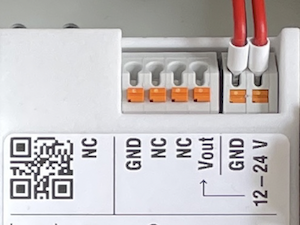
- Power supply via external mains adapter with 12 - 24 Volt DC
- Power output must be at least 2W and maximum 100W.
Radio (LoRa, FSK, NB-IoT, LTE Cat-M1)
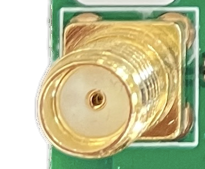
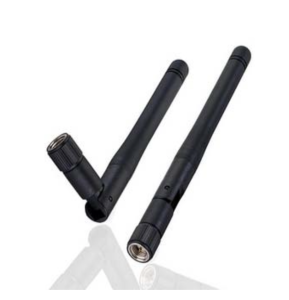
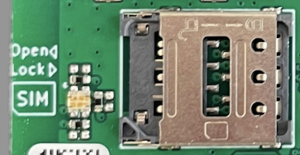
The antenna is used for different radio technologies based on LoRa, FSK including LoRaWAN® and wireless MBUS S1, C1/T1 Modes (868 MHz), OMS v3 & v4.
The same antenna is also used for communication via NB-IoT and LTE Cat-M1. A Nano SIM (4FF) is required for mobile connectivity.
The SIM Card must not be inserted or removed while the device is powered.
Properties of compatible SMA Antennas:
SMA Joint Rod Antenna (LTE, LoRa)
| Property | Value |
|---|---|
| Frequency range | 698-960 / 1710-2700 MHz |
| Length | 108 mm |
| Antenna Gain | 2 dBi |
| V.S.W.R | <= 2.5 |
| Radiation | Omnidirektional |
| Polarisation | Vertical |
| Max. Power | 5 W |
| Impedance | 50 Ohm |
| Connector | SMA Male |
| Material of dome | TPE |
| Lobaro Article Nr. | 3000413 |
The device was only tested with the listed antenna. Lobar does not take liability for the use with other antennas.
RESET-Button
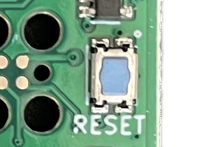
- Press the RESET Button to restart the deivce
- The RESET Button can be pressed through a small hole in the cover (e.g. with a paper clip). The position is marked with a ring on the label.
Config Port
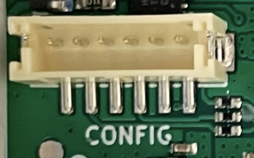
- The config port can only be reached when the cover is removed
- The configuration port is compatible with our 6-pin Lobaro USB Configuration Adapter (Arcticle Nr. 8000005).
- A free to use configuration tool can be downloaded from the Lobaro website.
LED
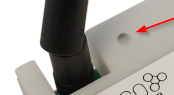
- Status information is visualized via the LED
Mobile operator and LTE band configuration
If you are using a different mobile operator than pre-configured, you should change the mobile operator code set in the Config Parameters Operator and (LTE) Band Operator codes are 5 digit codes that indicate country and operator.
For details about configuration for mobile network operation please refer to our article about LTE / NB-IoT Networks
Firmware
The configuration parameters, the work cycle and all uplink formats are described in the firmware documentation:
| Topic | Page |
|---|---|
| Firmware overview, downloads and changelog | app-hybrid-modbus |
| Configuration parameters | Configuration Parameters |
| Startup process, normal operation, LED patterns | Modes of Operation |
| NB-IoT / LTE-M uplink formats and data consumption | Cellular IoT Communication Protocol |
| LoRaWAN payload formats, decoder and examples | LoRaWAN Communication Protocol |
CE Declaration of Conformity
 | Datei nicht verfügbar |