Remote Config via CoAP
Lobaro devices connected via NB-IoT / LTE-M can be configured remotely through the Lobaro Platform using CoAP. The platform provides a graphical interface to read and update device configuration parameters without physical access to the device.
For details on the underlying protocol, refer to the CoAP Communication documentation.
Switching from NB-IoT / LTE-M to LoRaWAN
When switching the transmission type, the change is initially saved only temporarily. If the device cannot connect with the new type, it automatically reverts to the previous one. Therefore, set up the device in the target LoRaWAN Network Server (e.g. TTN, ChirpStack) before sending the config change.
- Add the device to the target LoRaWAN Network Server.
- In the Lobaro Platform, select the device → Downlinks, and send a
configdownlink:
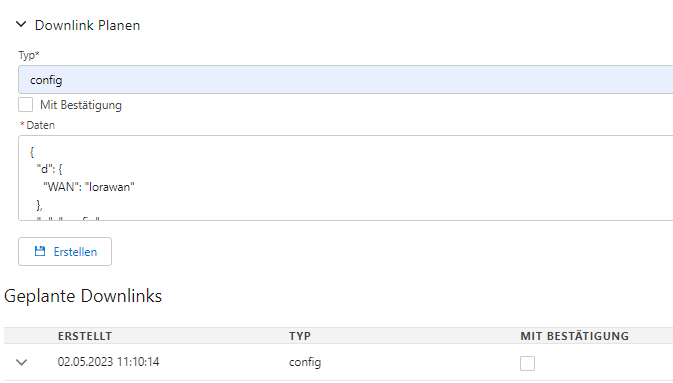
{
  "d": {
    "WAN": "lorawan"
  },
  "q": "config"
}
After the downlink is received, the device restarts and attempts to connect via LoRaWAN. If successful, the switch is complete. If the new connection fails, verify the LoRaWAN network settings and repeat.