Wireless M-Bus Gateway V2 (NB-IoT)
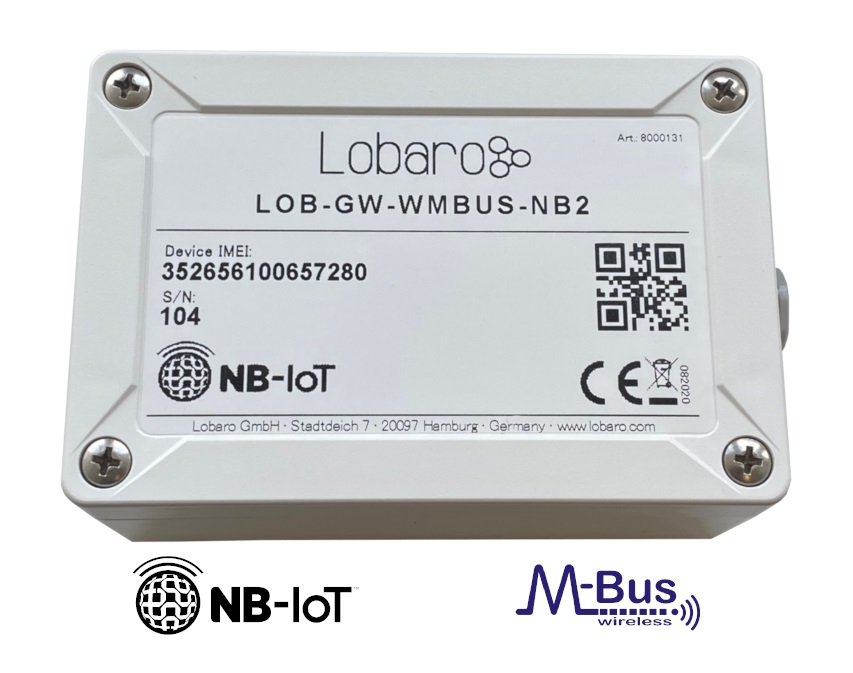
This product is no longer produced.
Successor: Wireless M-Bus Gateway V3 / LOB-GW-HYB-WMBUS
The Lobaro Wireless M-Bus Gateway V2 is a compact and energy-efficient device for receiving, buffering and forwarding metering data from up to 500 wireless M-Bus enabled devices.
Product Identification
- Product Name: Lobaro Wireless M-Bus Gateway V2
- Type:
LOB-GW-WMBUS-NB2 - Order Number:
8000131
Overview
The gateway receives metering data via 868 MHz wireless M-Bus according to EN 13757-4 and also supports Sensus RF Bubble Up. Collected telegrams are stored locally and transmitted via:
- NB-IoT / LTE-M
- LoRaWAN
The device can be connected to the Lobaro Platform or to a compatible custom backend that can process wireless M-Bus telegrams. Encrypted telegrams can be decrypted on the backend if the corresponding meter keys are available.
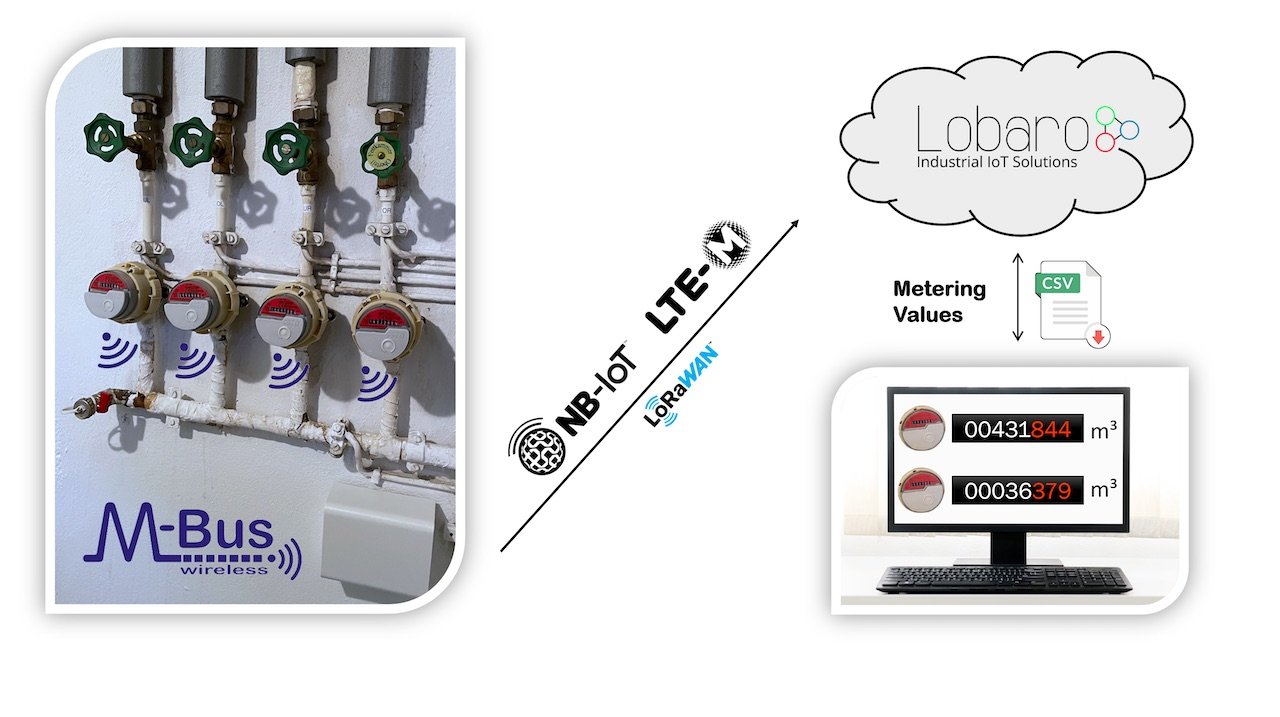
The Lobaro IoT Platform is optional. The gateway can also be connected to a custom backend for telegram processing and decryption.
Compatible Meters
The gateway supports wireless M-Bus meters and compatible radio devices, including:
- S1
- C1
- T1
- OMS v3 / v4
- Sensus RF Bubble Up
Quick Start
- Ensure that the SIM card and battery are connected correctly.
- Log in to the Lobaro Platform.
- Open Devices and select the gateway.
- If multiple gateways are available, identify the device by its printed Address.
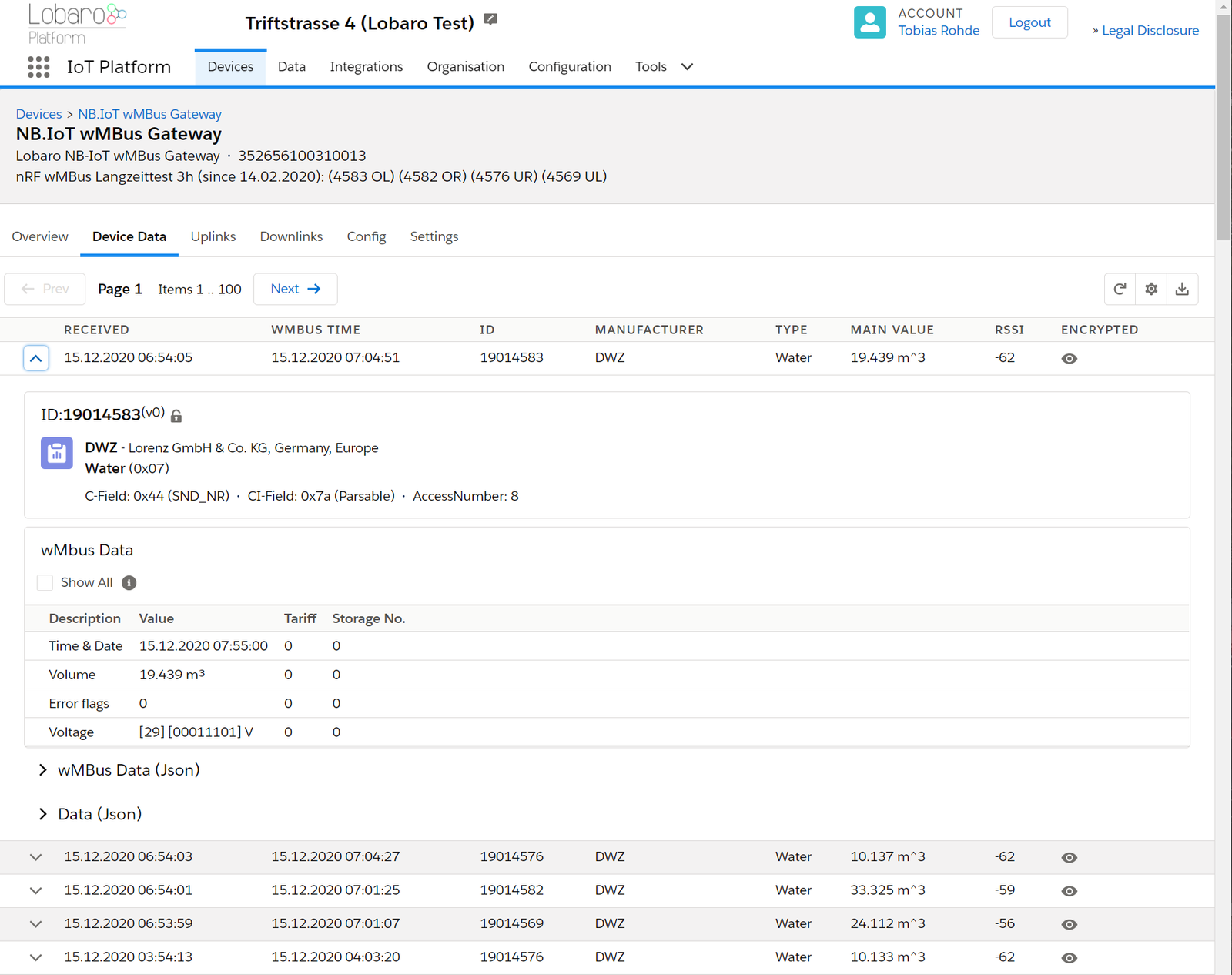
- Open Device Data to view incoming wireless M-Bus telegrams.
- If telegrams are encrypted, add the required keys under Organisation → wMbus.
- Press the internal RESET button to start a new operating cycle if needed.
Device Setup
Internal Connectors and Elements
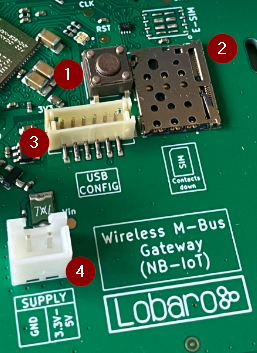
- RESET button
- SIM card holder (Nano SIM / 4FF)
- Connector for Lobaro USB Config Adapter
- 2-pin JST XH power connector for battery or external power supply
SIM Card

A SIM card is required for NB-IoT operation.
- Supported bands include Band 8 and Band 20
- The SIM card must be inserted according to the PCB marking
- The SIM contacts must face down
Power Supply
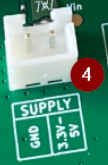
The gateway is powered by a 3.6 V D-cell battery connected to the VBat 3V6 XH connector.
On successful startup, the on-board LED flashes green once.
Resetting the Device

Pressing the internal RESET button reboots the device.
Disconnecting the battery may not immediately shut the device down, as internal buffering can keep the gateway powered for several minutes.
Local Configuration
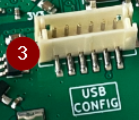
Local configuration can be performed using the Lobaro Config Adapter and the corresponding configuration tool.
Configuration
Configuration can be applied:
- locally via USB
- remotely via the Lobaro Platform in NB-IoT mode
The total configuration size is limited to approximately 5000 bytes. This allows extensive filter configurations such as a device whitelist (devFilter) with several hundred meter IDs.
General Parameter
| Name | Description | Default |
|---|---|---|
WAN | Uplink technology | lte |
Supported values:
lte→ use cellular uplinklorawan→ use LoRaWAN uplink
NB-IoT Parameters
These parameters apply when WAN = "lte".
| Name | Description | Default | Notes |
|---|---|---|---|
Host | Backend host | 94.130.20.37 | Hostname or IP address |
Port | Backend port | 5683 | |
UdpHost | Optional target for raw UDP upload | empty | If empty, upload is sent to the Lobaro Platform |
UdpPort | UDP port for raw upload | 0 | Used together with UdpHost |
Operator | Mobile operator code | 26201 | Example: Deutsche Telekom |
Band | NB-IoT band | 8 | 8, 20, 8,20, or empty for auto detection |
APN | Access point name | iot.1nce.net | Depends on SIM provider |
PIN | SIM PIN | empty | Empty or 4 digits |
UseNbiot | Enable NB-IoT | true | |
UseLtem | Enable LTE-M fallback | false | Hardware-dependent |
LoRaWAN Parameters
These parameters apply when WAN = "lorawan".
No SIM card is required in LoRaWAN mode.
| Name | Description | Default | Notes |
|---|---|---|---|
OTAA | Activation mode | true | true = OTAA, false = ABP |
DevEUI | Device EUI | ||
JoinEUI | JoinEUI / AppEUI | ||
AppKey | OTAA key | ||
NwkKey | Network key | ||
TimeSync | Time synchronization interval in days | 3 | 0 = disabled |
RndDelay | Random transmission delay in seconds | 10 | |
PayloadFormat | Payload encoding format | 0 | See below |
LostReboot | Reboot interval after missing downlink in days | 5 | 0 = disabled |
PayloadFormat values:
0= encoding in ports1= prefix bytes and time2= prefix bytes, time, and RSSI
Meter Reception Parameters
| Name | Description | Default | Notes |
|---|---|---|---|
listenCron | Receive schedule | 0 0 12 * * * | Once per day |
cmodeDurSec | Receive duration for C1/T1 | 300 | 0 = disabled |
smodeDurSec | Receive duration for S1 | 0 | 0 = disabled |
xmodeDurSec | Receive duration for Sensus RF | 0 | 0 = disabled |
mFilter | Manufacturer filter | empty | Comma-separated, no spaces |
typFilter | Meter type filter | empty | Comma-separated, no spaces |
devFilter | Meter ID filter | empty | Supports multiple IDs |
ciFilter | CI field filter | empty | 2-digit hex values |
maxTelegrams | Maximum number of stored telegrams | 0 | 0 = no limit |
Filter Notes
mFilteruses comma-separated manufacturer codes such asdme,itwtypFilteruses comma-separated meter type codes such as08,07devFiltersupports:- 8-digit wM-Bus IDs
- 11-digit Sensus RF IDs
- Typical capacity:
- up to 500 wM-Bus IDs
- up to 400 Sensus RF IDs
ciFilterexpects 2-digit hex values such as8a,07,71
Example Type Codes
| Code | Meaning |
|---|---|
02 | Electricity |
03 | Gas |
04 | Heat |
06 | Warm Water |
07 | Water |
08 | Heat Cost |
15 | Hot Water |
16 | Cold Water |
1A | Smoke detector |
21 | Valve |
31 | Communication controller |
FF | Invalid / wildcard |
Modes of Operation
The gateway typically operates in the following cycle:
- Wake up at
listenCron/ On start up of device ignore listenCron always run following steps. - Receive C-mode / T-mode telegrams for
cmodeDurSec(if not 0) - Receive S-mode telegrams for
smodeDurSec(if not 0) - Receive Sensus RF telegrams for
xmodeDurSec(if not 0) - Upload collected data via NB-IoT / LTE-M or LoRaWAN
- Retry failed uploads after 24 hours or at the next scheduled cycle
- Sleep till next listenCron or status telegram upload.
Deduplication
During collection, duplicate telegrams are replaced by the most recent one. A telegram is considered a duplicate if all of the following match:
- telegram length
- device ID
- CI field
Mobile Data Consumption
A single uploaded wireless M-Bus telegram typically uses about 400 bytes, including metadata.
Example Estimates
| Upload Pattern | Approx. Monthly NB-IoT Usage |
|---|---|
| 1 upload per day | ~12 kB |
| 8 uploads per day | ~100 kB |
| 400 telegrams per week | ~700 kB |
| 250 telegrams per day | ~3 MB |
These values are approximate and depend on the selected configuration and transmission behavior.
Lobaro Platform
Device Data
The easiest way to work with the Lobaro wMBus NB-IoT Gateway is the Lobaro Platform. You can find it under https://platform.lobaro.com – Log in with the credentials provided by Lobaro. Your Gateways should be listed under "Devices". If you have multiple devices in your account, you can distinguish them by the field "Address". The Address is printed on the box of the Gateway (the Address is the IMEI of the modem used by the device; that is the unique hardware address used for mobile communication).
Changing configuration
You can see and edit the configuration of the Gateway without physical access to the device from the Lobaro Platform. Open the tab "Config" for your device. The current configuration will be shown. You can edit individual config entries by clicking on the pencil. After you entered all the values you want to change, click the "Update config" button. The new configuration will be sent to the device the next time it uploads data to the platform. After changing the configuration, it will reboot and start working with the new config.
The remaining configuration parameters (Host, Port, APN, Band, ...) are used to configure the way the device connects to the mobile provider and to the Lobaro Platform. There is no need to change these values when using the Gateway with the Lobaro Platform.
wMBus encryption Keys
Many meters are sending encrypted data. In order to get the values out of that encrypted telegrams, you will need to provide the decryption key to the Platform. Go to "Organisation" / "wMBus" to add encryption keys. You will need to set a key for a specific meter (identified by its ID).
Once a key is entered for a device, any telegram received after that will be decrypted and listed in clear text under "Device Data".
Forwarding data to your own system
If you want the received data inside your own system, you can add an Integration inside the Lobaro Platform that forwards all data to your system. We currently supply a REST API that allows you to query data from our platform actively, as well as a HTTP(S) integration, that pushes incoming data to your system when it is received.
Configuration with the Config Adapter
Instead of using the Lobaro Platform, you can use the Lobaro Config Adapter and the Config Tool to change the Configuration directly in your hardware. This can be useful when you want to change configuration while the mobile connection does not work (or if you do not want to use the Lobaro Platform). See Lobaro USB configuration adapter for more information.
Configuration Using Raw UDP
In default configuration, the Gateway communicates using CoAP with messages that are designed to work with our Lobaro Platform as a backend. If you want to connect the Gateway directly to your own backend, it can be hard to implement an endpoint.
CBOR messages over UDP
Starting with Firmware version 0.5.0, the Gateway supports a second format, where wMBus telegrams are uploaded without CoAP over UDP. When the configuration Parameters UdpHost and UdpPort are set to a destination (IP address and port number), wMBus telegrams will be sent to that destination instead of the Lobaro Platform. It will be sent as a CBOR object using raw UDP packets without CoAP. CBOR can easily be parsed in most programming languages using existing libraries. It is similar to JSON but uses a binary representation.
Limitations of UDP
Because UDP has no validation mechanism, there will be no retransmission in case of packet loss. You will be able to spot missing packets by gaps in the frame number. When implementing this, please keep in mind, that UDP packets are not guaranteed to arrive in the order they are sent.
You can find CBOR decoders for variaous programming lanuages, see: https://cbor.io/
Or you can use the online decoder for debugging at http://cbor.me/ (Paste data into the right column and press the green arrow above to decode)
Example UDP Packet
| UDP Packet |
|---|
| BF61696F333532363536313030343631373734616E19013C6164BF676D6F6E69746F727891636F6E6E65637465643A312C20636F6E4D6F64653A312C207265673A352C207461633A444144392C2063693A30313938374330462C2070736D3A31313130303030302C207461753A30313031313131312C20525352503A353028322F34292C20525352513A323328332F34292C20534E523A333528332F34292C20636F6E54696D653A31362C20636F6E4661696C733A306374616364444144396263696830313938374330466472737270183264727372711763736E7218236370736D683131313030303030637461756830313031313131316476626174190DE36B74656D706572617475726518966974696D657374616D701A5FC74A6E6874656C656772616D58B2B144C5147423900103067274239001C5140006830090256C9AED3F524DB6D103E888AE94F5E5F6C0A5ACDF4D51BB31522543145770CF44BD7FC1865F0ABEFC15EE296D38C710B0CDC518FDFF89FF87DCA6F357490E60AB07697C121CD6794A196A3A705D6FA2D25169C9C204156AD221E8F0829AE221C74EA92ED4DC65014178730E2A2313C0C879A6FB19D9B8F50E6EA2DBF721C560041AB1AFA874D24F49059981946D937DE103FD0C02032102FD0B01116472737369385AFFFFFF |
Example Decoded UDP Packet
{
  "i": "352656100461774",
  "n": 316,
  "d": {
    "monitor": "connected:1, conMode:1, reg:5, tac:DAD9, ci:01987C0F, psm:11100000, tau:01011111, RSRP:50(2/4), RSRQ:23(3/4), SNR:35(3/4), conTime:16, conFails:0",
    "tac": "DAD9",
    "ci": "01987C0F",
    "rsrp": 50,
    "rsrq": 23,
    "snr": 35,
    "psm": "11100000",
    "tau": "01011111",
    "vbat": 3555,
    "temperature": 150,
    "timestamp": 1606896238,
    "telegram": "B144C5147423900103067274239001C5140006830090256C9AED3F524DB6D103E888AE94F5E5F6C0A5ACDF4D51BB31522543145770CF44BD7FC1865F0ABEFC15EE296D38C710B0CDC518FDFF89FF87DCA6F357490E60AB07697C121CD6794A196A3A705D6FA2D25169C9C204156AD221E8F0829AE221C74EA92ED4DC65014178730E2A2313C0C879A6FB19D9B8F50E6EA2DBF721C560041AB1AFA874D24F49059981946D937DE103FD0C02032102FD0B0111",
    "rssi": -91
  }
}
The "telegram" part can be decoded using our wMbus Parser API at https://platform.lobaro.com/#/wmbus/parser
Controlling the device
When UdpHost and UdpPort are set while Host and Port are referring to the Lobaro Platform, the Gateway will upload the wMBus telegrams to the UDP destination but will also sent diagnostic messages to the Platform. In this configuration you can still use the features of the Lobaro Platform to control the device for configuration changes or firmware updates, while receiving your wMBus data directly to your own backend.
Format
Schema
The CBOR object contains the following information
{
    "d": {
      "rssi": <int: RSSI>,
      "vbat": <int: Supply voltage in mV>,
      "monitor": <string: human readable diagnostic information>,
      "telegram": <bytes: wmbus telegram>,
      "timestamp": <int: unix timestamp, time of reception>,
      "temperature": <int: device temperature in 1/10°C>
    },
    "i": <string: device's IMEI>,
    "n": <int: frame number>
}
| Name | Explanation |
|---|---|
vbat | Supply voltage to the Gateway, measured in millivolts (mV). |
timestamp | Time of reception of the telegram in the gateway, given as a Unix Timestamp. |
temperature | Temperature inside the Gateway, measured in tenth of Degree Centigrade (d°C). |
telegram | Bytes of the received wMBus telegram as a byte string. |
rssi | Received signal strength indication indicating the quality of the received signal. |
n | Frame number. Starts at 1 for the first UDP-upload after boot and is increased for every upload. |
monitor | Human readable diagnostic string. The format of this information is subject to change and should not be relied on. |
i | IMEI of the Gateway's Modem, uniquely identifying the Device. |
Example
The following shows an example message if you display it as JSON. In the CBOR object, the telegram is stored as a byte string. Because JSON does not support binary data, in this example it is encoded using base64.
{
    "d": {
      "rssi": -99,
      "vbat": 3688,
      "monitor": "connected:1, conMode:1, reg:5, tac:D71E, ci:019C1307, psm:11100000, tau:00001100, RSRP:56(2/4), RSRQ:24(3/4), SNR:37(3/4), conTime:3, conFails:0",
      "telegram": "SUSTRHkFAYg0CHgN/181AIJnADXIv1WtPFse1mYcZZQLiPR/aujF9e46meEB6CIkxJmHUEd6xPdAmop3uqIt4yWMgbwEbToKiCc=",
      "timestamp": 1594201536,
      "temperature": 240
    },
    "i": "123456101550542",
    "n": 7
}
Explanation:
UDP-Uplink #7 from Gateway with IMEI 123456101550542
Status of Gateway during upload:
  internal Temperature: 24.0°C
  supply Voltage: 3.688V
  Mobile provider, Cell-ID: 019C1307
Received wMBus Telegram:
  time of recept: 2020-07-08T09:45:36 (UTC)
  telegram (as hex): 49449344790501883408780dff5f350082670035c8bf55ad3c5b1ed6661c65940b88f47f6ae8c5f5ee3a99e101e82224c4998750477ac4f7409a8a77baa22de3258c81bc046d3a0a8827
  rssi: -99
LED blinking patterns
The device has an RGB-LED to give visual feedback.
The blinking patterns are not final and will be revised in a future version of the firmware!
On boot, the device shortly flashes the LED green.
| When | Pattern | Explanation |
|---|---|---|
| on reset | short green flash every ~15s | Configuration is invalid |
| on reset | short green flash every ~25s | SIM card cannot be read |
| during operations | blue on/off once per second | Trying to connect to mobile provider |
| during operations | blue on/off once per second, then green | Trying to connect to mobile provider, success |
| during operations | blue on/off once per second, then red | Trying to connect to mobile provider, failing |
Housing Specification & Accessories
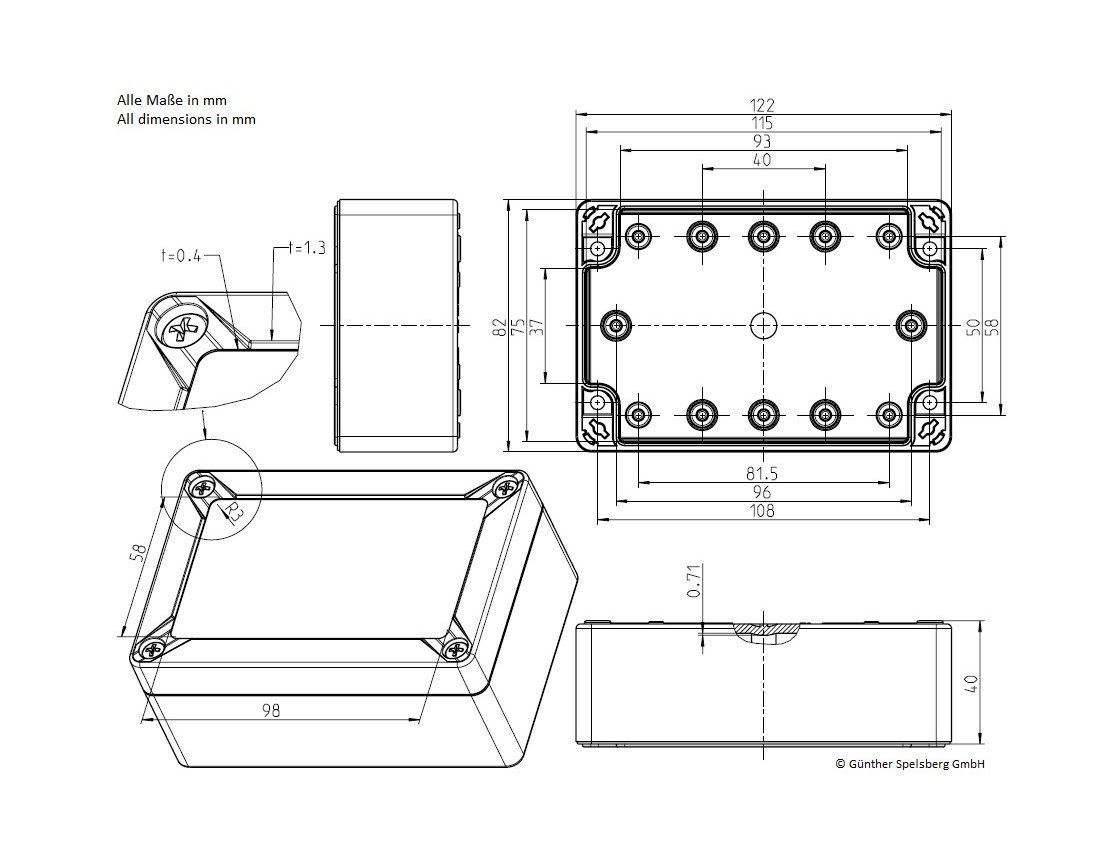
The Lobaro wireless Mbus bridge uses the TG PC 1208-6-o feature rich IP67 housing from Spelsberg.
For the housing the following accessories are available on request:
Housing Design Cover
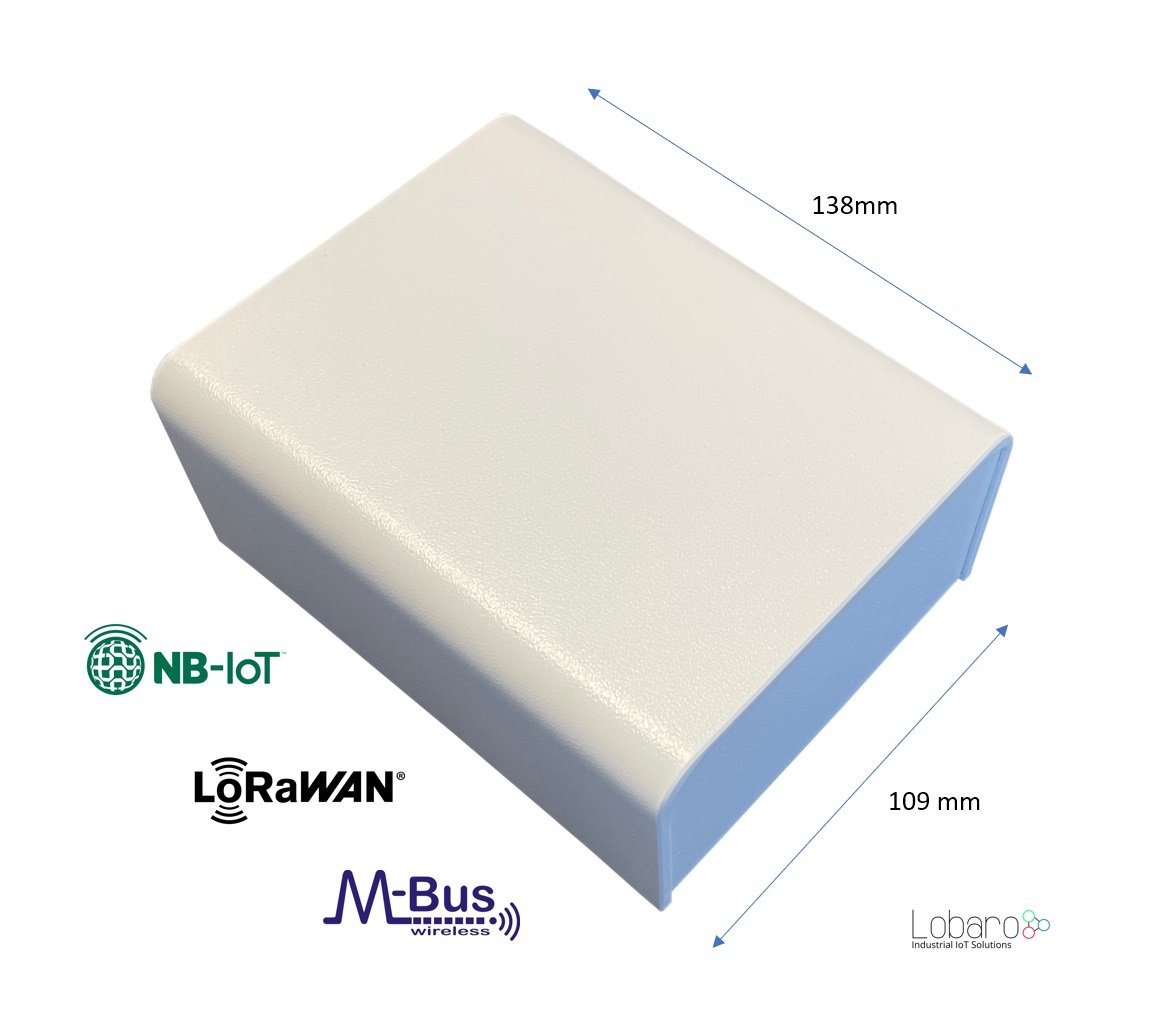
For a cleaner look of the device a addon design cover is available. Order number: 8000140
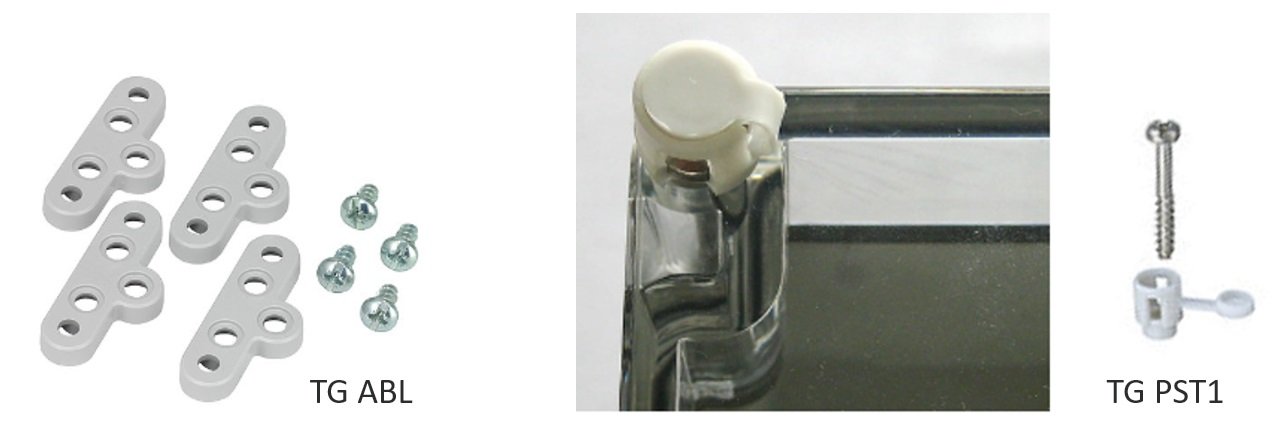
External fixing lugs (TG ABL):
Allow the mounting without opening the (sealed) cover. Order number: 3000104
Sealing kit (TG PST1):
May be used to seal the box to complicate unauthorized access to the device.
Troubleshooting
I did not get a username/password for the Lobaro Platform.
Please contact contact Lobaro to get your account information.
I do not see my Gateway listed unter "Devices".
It is possible that the purchased device has not been added to your account. Please check if you got an Activation Code with your hardware. If so, you can enter it under "Tools" / "Hardware Activation" in order to claim the device for your account.
I cannot find data for my specific meter.
Make sure your Gateway collected data since you brought it close to the meter (check timestamps on data). With standard configuration, it only collects data every 8 hours. You can press the "RESET" Button inside the device to make it reboot and start collecting data.
Also check the specifications of your wMBus meter. How often does it send data? What mode does it use? Using standard configuration, the wMBus Gateway only collects C-Mode and T-Mode telegrams. If your meter is sending S-Mode, you will need to change the Gateway's configuration.
Data for my meter only shows "Payload encrypted".
Most meters encrypt the data they are sending out (information about water/energy usage is personal data). In order to see values from encrypted wMBus telegrams, your will need to supply the decryption key for your meter (you should be able to get the key where you got the meter). You can add the key in the Lobaro Platform under "Organisation" / "wMBus". You will have to add a key for a specific meter (identified by the meter's ID).
After you supplied the key, new telegrams that are received should be decrypted so that you can see the values inside the telegram.
How can I check the NB-IoT Signal quality?
Signal quality comes from the Modem Monitor string: "RSRP:13(0/4), RSRQ:5(0/4), SNR:19(1/4)"
The monitor string is send together with some uplink messages, the raw values (as integer) are also send inside the status message.
** Example Status Uplink **
{
    "d": {
      "ci": "00B00A00",
      "psm": "00000000",
      "snr": 25, // <<<<<<<<<<
      "tac": "000",
      "tau": "00000000",
      "rsrp": 32,  // <<<<<<<<<<
      "rsrq": 17,  // <<<<<<<<<<
      "vbat": 3590,
      "temperature": 200
    },
    "i": "111111111111111",
    "n": 3,
    "q": "status"
  }
- RSRP = Signal Power
- RSRQ = Signap Quality
- SNR = Signal to Noise Ratio
To decode the values please reffer to the nRF9160 Knowledge Base
RSRP
- 0 – RSRP < −140 dBm
- 1 – When −140 dBm ≤ RSRP < −139 dBm
- 2 – When −139 dBm ≤ RSRP < −138 dBm
- ...
- 95 – When −46 dBm ≤ RSRP < −45 dBm
- 96 – When −45 dBm ≤ RSRP < −44 dBm
- 97 – When −44 dBm ≤ RSRP
- 255 – Not known or not detectable
rsrq
- 0 rsrq < −19.5 dB
- 1 – When −19.5 dB ≤ RSRQ < −19 dB
- 2 – When −19 dB ≤ RSRQ < −18.5 dB
- ...
- 32 – When −4 dB ≤ RSRQ < −3.5 dB
- 33 – When −3.5 dB ≤ RSRQ < −3 dB
- 34 – When −3 dB ≤ RSRQ
- 255 – Not known or not detectable
Safety Instructions
Read and follow all relevant safety instructions
- Sicherheitshinweise / Safety instructions (DE / EN)
- WEEE Disposal / Entsorgung von Geräten von Lobaro