LoCube Wall Mount
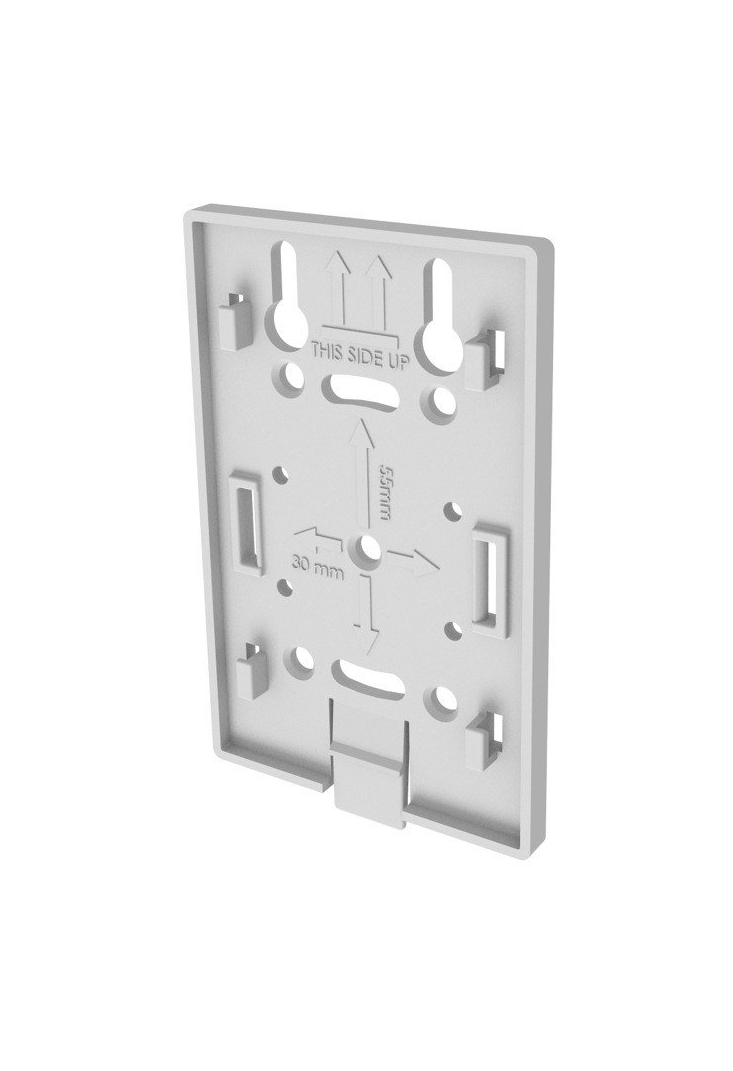
Wall mounting bracket for the Lobaro Gateway V4 Series. Compatible with the LoCube enclosure used across the Gateway V4 product family.
The wall mount is included with the standard Gateway V4 (base variant, no add-on). Add-on variants (M-Bus, Modbus, Temperature, 4-20 mA, …) do not include the wall mount by default — it is available as a separate accessory.
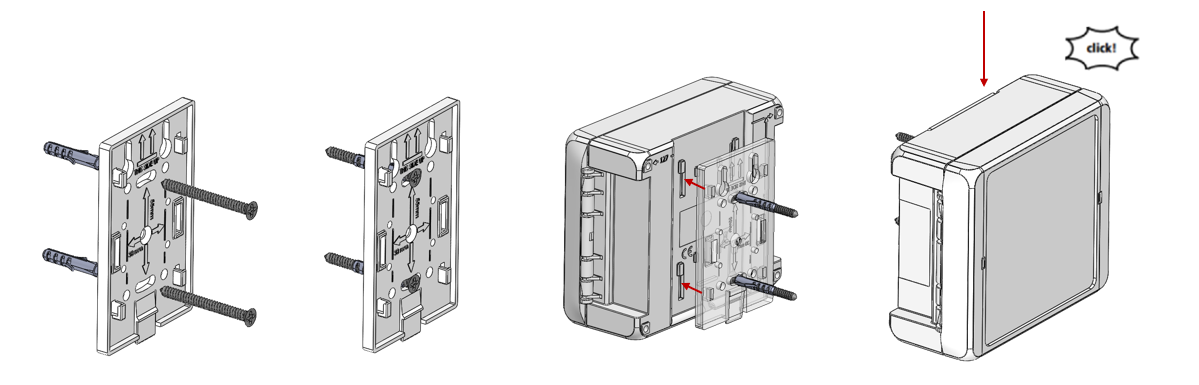
Wall Mounting (Screws)
Mount the bracket to the wall using screws (mounting hole spacing: 30 mm × 55 mm), then click the gateway onto the bracket from above.
Pipe Mounting (Cable Tie or Band Clamp)
The bracket can also be mounted to a horizontal pipe without screws. Route one or two cable ties — or a metal band clamp (hose clamp) — through the slots in the bracket and around the pipe, then click the gateway onto the bracket.
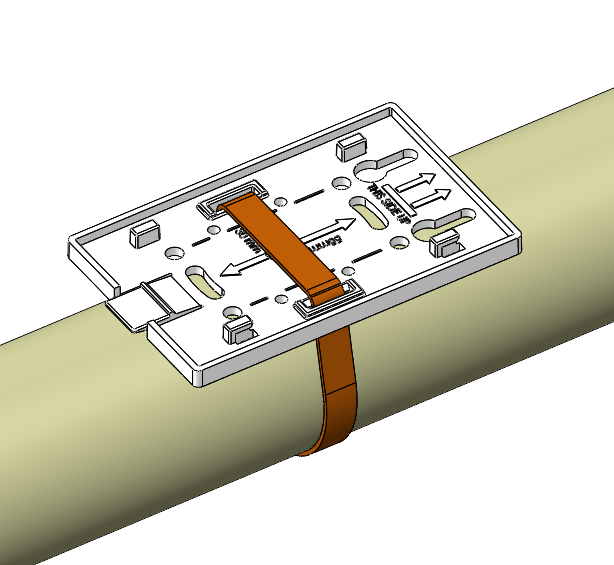
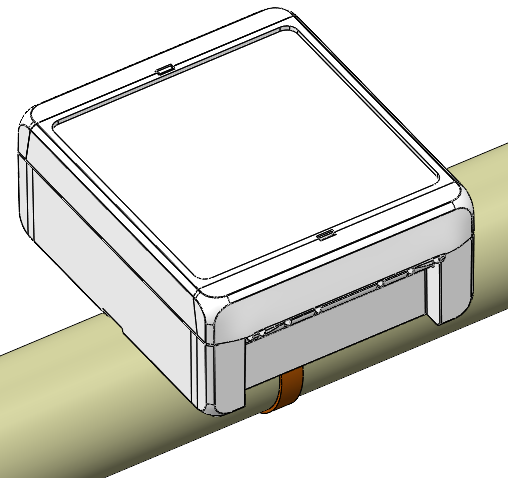
Cable tie and band clamp mounting is intended for horizontal pipes only. Do not use cable ties or a band clamp to mount the plastic bracket on a vertical pole or mast — the device may slip or fall over time.
For secure vertical pole or mast mounting, use the dedicated metal LoCube Mast Mount.
Compatible Products
- Gateway V4 — included
- Gateway V4 + M-Bus — optional
- Gateway V4 + Modbus — optional
- Gateway V4 + Temperature — optional
- Gateway V4 + 4-20 mA — optional
- Gateway V4 + Ethernet — optional
Ordering
Contact sales@lobaro.de for ordering information.
A dedicated release tool for removing the device from the wall mount is available on request — contact sales@lobaro.de.