Gateway V4 + M-Bus
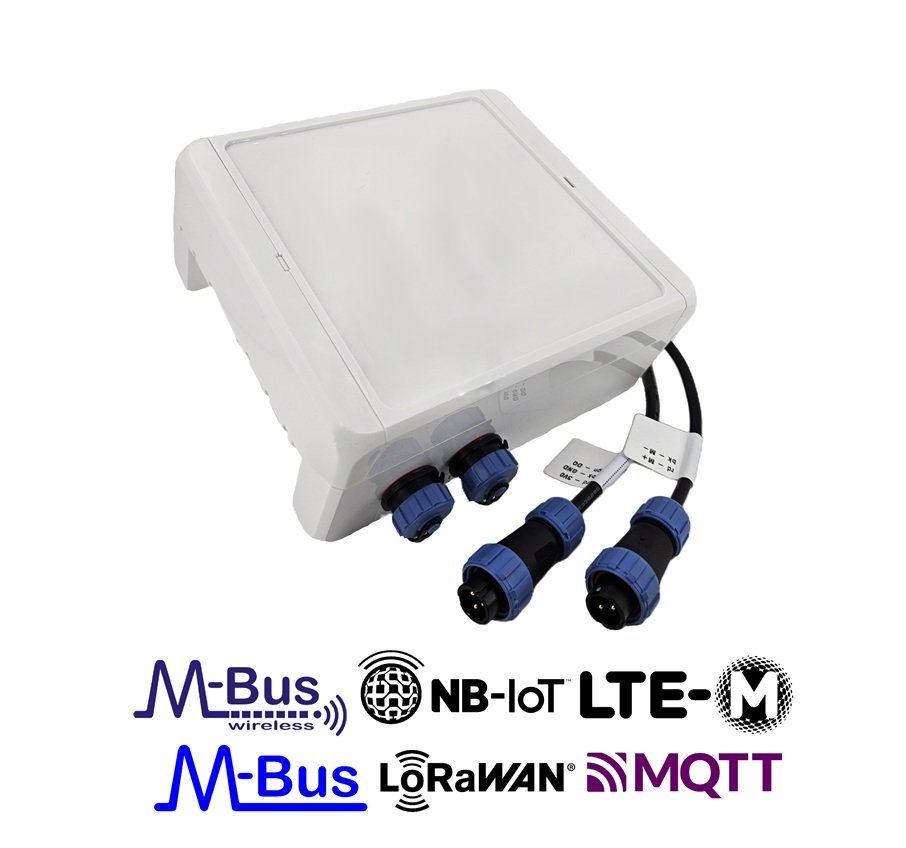
Wireless M-Bus Gateway V4 with the wired M-Bus add-on.
Description
Gateway for remote reading of wireless and wired MBus values via NB-IoT, LTE-M mobile radio or LoRaWAN to the Internet. Suitable for indoor and weather-protected outdoor installation.
Features
All Gateway V4 Series platform features plus:
- Wired M-Bus master — up to 10 unit loads (battery-powered) or up to 25 unit loads (external 12 V / 230 V power supply). Connects via SP13 connector (2-pin)
- 1-Wire temperature sensors via SP13 connector (up to 20× DS18B20)
The SP13 connector ships with open cable ends. Use the IP68 Inline Cable Connector (4-pin) to connect to an existing cable quickly and without tools.
Product Components
- Firmware
- app-nrf91-origin · Firmware updates
- Housing
- LoCube — 122 × 82 × 55 mm
- Power supply
- Battery 38 Ah (Li-SOCl₂, 3.6 V) · External 12 V DC or 230 V AC available
- Optional accessories
- External antenna (SMA) · IP68 encapsulation · LoCube wall mounting kit · Pole mounting kit
Product Identification
- Name: Wireless M-Bus Gateway V4 MBus
- Type: LOB-GW4-MBUS
- MPN / Ordering code:
1200436
Accessories
| Accessory | Notes |
|---|---|
| LoCube Wall Mount | Optional — wall or horizontal pipe |
| LoCube Mast Mount | Metal bracket for vertical pole / mast mounting |
| USB Config Adapter | For local configuration, diagnostics, and firmware updates |
| IP68 Inline Cable Connector (4-pin) | For connecting open SP13 cable ends |
LED Signal Patterns
The device uses the standard V4 LED signal patterns. See LED Signal Patterns for the full reference.
Configuration
The device is shipped with default configuration parameters. Local changes can be made via the config port using the USB Config Adapter and the Lobaro Config Tool.
For step-by-step instructions, see the Configuration Methods guides:
- 🔌 Local Config via USB — connect directly to the device
- 📡 Remote Config via CoAP — over NB-IoT / LTE-M via Lobaro Platform
- 📻 Remote Config via LoRaWAN — via LoRaWAN downlink
- 🔗 Remote Config via MQTT — for 3rd party MQTT backends
Custom factory configuration is available on request — devices can be pre-configured at production for your specific deployment. Contact sales@lobaro.de when ordering.
Firmware Updates
The latest firmware can be found here:
- Download latest firmware
-
For further information on how to update the device, refer to: Firmware Update.
A remote firmware update over LoRaWAN is currently not possible.
Configuration Parameters
This product runs the app-nrf91-origin firmware. To avoid duplication, the parameters are documented centrally with the firmware component and are not repeated here:
- Common firmware parameters — general, wireless M-Bus, LTE and LoRaWAN settings shared by all V4 gateways
- M-Bus Add-On parameters — wired M-Bus specific settings
- Temperature Add-On parameters — 1-Wire temperature sensor settings
LoRaWAN Uplink Formats
- LoRaWAN Protocol — Status Packet (Port 1) and wM-Bus uplink formats
- M-Bus Add-on LoRaWAN Uplinks
- 1-Wire / Temperature Add-on LoRaWAN Uplinks
Cellular Uplink (LTE)
Cellular uplink uses CoAP (with the Lobaro IoT Platform) or MQTT for third-party integration. The protocol details are documented centrally with the firmware:
The CoAP implementation details are not publicly disclosed and are intended for use exclusively with the Lobaro IoT Platform. If MQTT is not an option, please contact Lobaro directly.
Wireless M-BUS Parser
A production-ready parser (including split telegram reassembly where applicable, AES-128 decryption for encrypted wM-Bus telegrams, and OMS-compliant data interpretation) is implemented within the Lobaro Platform.
Customers using the Lobaro Platform can utilize this parser directly as part of the platform processing pipeline.
If you are operating a Lobaro Gateway without using the Lobaro Platform, we can provide restricted platform access upon request. This allows you to inspect the parser behavior and use it as a technical reference for your own backend implementation.
Please contact our support team if you require access or further integration details.
Battery Lifetime Estimator
Estimate the expected battery lifetime for typical usage patterns. Adjust the parameters to match your deployment.
Declaration of Conformity
 | Download CE declaration of conformity |